Подршка за ваш

Robot Vacuum Cleaner

Robot Vacuum Cleaner

Fault F1

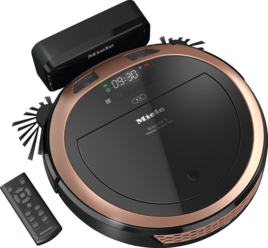
Fault F1 appears on the robot vacuum cleaner display.

The robot vacuum cleaner is on an uneven floor surface.

Place the robot vacuum cleaner on a level floor surface.
One or both drive wheels are unable to move freely.

Switch the robot vacuum cleaner off. The switch is located on the side of the robot vacuum cleaner. Depending on the model, press the I/0 switch to switch position 0 or the ON/OFF switch to switch position OFF.

Clean the drive wheels:

  • Place the robot vacuum cleaner upside down on a level, clean surface.

  • Remove any dirt or hairs from both drive wheels.

Then check that the wheels are able to move up and down freely.

The robot vacuum cleaner has got caught on sharp objects, causing a wheel to come loose.

Avoid objects obstructing the path of the robot vacuum cleaner.

RX2 and RX3 – after troubleshooting, the fault message can be reset in the following ways:

  • Switch the robot vacuum cleaner off and on again (I/0 switch).

  • Press the Power button on the remote control.

  • Press the  sensor control in the control field of the robot vacuum cleaner for at least 3 seconds.

If the fault persists, contact the Miele Customer Service Department.

Претраживач упутстава за употребу

Претраживач упутстава за употребу

Овде ћете пронаћи упутства за употребу за своје Миеле уређаје
Пронађите своје упутство
Резервишите техничара

Резервишите техничара

Радо ћемо примити вашу резервацију за поправку путем интернета или телефона
Планирајте посету
Контактирајте нас

Контактирајте нас

Посетите нашу страницу Контактирајте нас да видите различите начине на које можете разговарати са нама.
Контактирајте нас